Beginner’s guide to Call of Duty: Warzone.
“Call of Duty: Warzone” is a well-known first-person multiplayer shooter developed by Raven Software and Infinity Ward, released on March 10, 2020. Over time, the game has amassed a large following. However, new players are constantly joining the game, and they may not know how to play effectively. That’s why this guide was created. Here, we will share all the intricacies of the game and how to navigate various situations. Let’s dive in.
Battles in “Call of Duty: Warzone” take place in the form of a “Battle Royale.” If you compare this game to “PUBG,” there are many elements that may be a bit confusing for newcomers. As a result, they have many questions that need answers to make playing easier. Let’s start with the game modes.
In “Call of Duty: Warzone,” there are currently three main game modes:
These modes are available in the game at all times, and you can play them whenever you want. In addition to these three, developers regularly introduce other temporary game modes.
Operators are also characters in the game, but they are not available to all players. You can acquire Operators by purchasing them or earning them through specific achievements. Additionally, you can customize their appearance and finishing moves.
In the game, you can create different weapon loadouts. If you’re unsure how to do it, we’ll explain. First, go to the appropriate menu. For convenience, developers allow you to rename your loadouts. You can do this by right-clicking on the loadout. Besides, you can edit and add it to your favorites. In each loadout, you select two weapons (primary and secondary), equipment (tactical and lethal), and various perks. Currently, there are 18 different perks available in “Call of Duty: Warzone.” However, the perks only take effect after you acquire a weapon loadout. Perks and weapon loadouts are not all available at once but unlock gradually as you level up your account.
You can also make various modifications to your weapons (suppressors, attachments, sights, and more). If you want to do this, hover your mouse cursor over any weapon and open the “Gunsmith” tab. Remember that different modifications affect your weapon differently. Always choose the optimal set of additional elements that will help you the most in battle.
Next, let’s talk about “Field Upgrades.” These gadgets provide various enhancements during battles, but only for a limited time. Let’s give an example. One of the upgrades is called “Dead Silence.” When activated, it accelerates your movement and significantly muffles the sound of your footsteps. You can extend the duration of this upgrade by eliminating an opponent with a melee or ranged weapon.
These upgrades become available as you progress in the game but are not accessible in the “Battle Royale” mode.
Of course, the game features military vehicles. In the “Vehicle Customization” menu, you can change the appearance of any vehicle, but you can’t improve its stats.
In this section, you’ll find all the weapons available in “Call of Duty: Warzone.” You’ll see the complete list of weapons, even those you don’t have yet. Locked weapons can be unlocked by leveling up, completing various missions and tasks, purchasing them with real money, or finding them in containers. Locked weapons do not significantly differ in stats from others, as the game aims for balance. Developers added them to diversify gameplay.
There’s also a tab called “Barracks.” Here, you can track key information about your account, including your level progression. After each battle, all players earn a certain amount of experience, which gradually increases your account’s level, unlocking weapons, perks, and more. Each locked item has its required level for use, which you’ll achieve over time. Additionally, in this section, you can slightly customize the game’s interface, set your clan emblem, and more.
Similar to “PUBG,” “Call of Duty: Warzone” has its own Battle Pass. Those unfamiliar with games featuring this function may not know what it means. In the game, there’s a Seasonal Battle Pass, which is free and offers various rewards. It’s available to every player, regardless of their level or other factors. Rewards in the Battle Pass unlock as you earn a certain number of points, which you can acquire simply by playing the game. In addition to the free version, there are paid Battle Passes that you can purchase with real money. These include more valuable and worthwhile rewards compared to the free version. For example, in the paid Battle Pass, you can collect individual weapon blueprints. Overall, in any Battle Pass, you’ll find all the items available in the game, from weapon blueprints to player card backgrounds.
In the “Challenges” section, you can see all the in-game missions. They come in three types:
Those who are familiar with or have played “PUBG” and other similar games will understand the basic principles of battle royales. “Call of Duty: Warzone,” also has this mode. As mentioned earlier, up to 150 players can participate simultaneously in this mode. You can play solo or in teams of two, three, or four. All battles take place on a single, very large map, in a fictional city called Verdansk. After all players are airdropped onto the location, the battle begins, and the map zone gradually starts shrinking. In this battle, only one player (or one team if you’re playing in squads) will emerge as the winner, surviving on a very small portion of the initially vast map. However, there are many aspects that set this “Battle Royale” apart from others.
Landing. Right from the start, you’ll notice the first difference: the zone. In “PUBG,” initially, no one could predict the next zone’s location. In “Call of Duty: Warzone,” even during the airplane ride, you’ll see and know which direction the zone will shrink towards. As soon as you parachute out of the plane, you’ll notice the second feature. During your parachute descent, you can open and close your parachute multiple times. This gives you more control over where you land precisely. To open the parachute, press the “Space” key, and to release it, press the “C” key. Moreover, you can glide horizontally, significantly speeding up your descent and allowing you to travel farther.
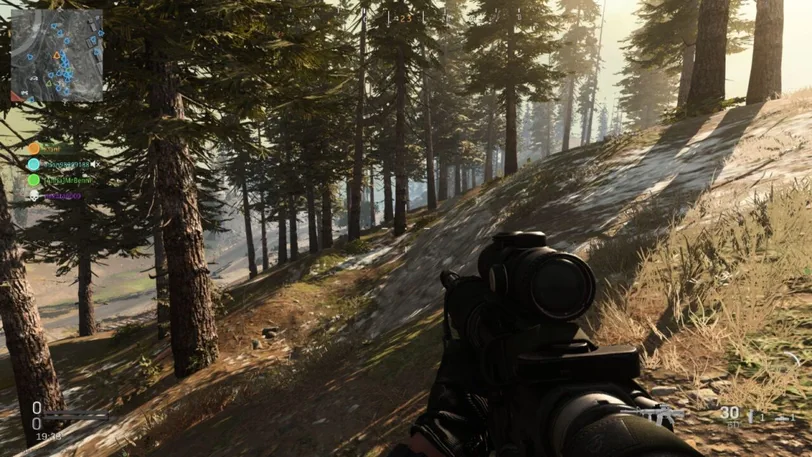
Getting Acquainted with the Interface. Once you’ve landed and are on the ground, it’s time to become familiar with the in-game interface. In the upper left corner, you’ll find crucial elements of the game: a timer and a mini-map. The timer indicates how much time is left until the next zone shrinkage. The mini-map looks a bit different: it’s circular, but you can change its appearance to a square in the settings. If you want to see the full map, press the “M” key. Both maps display not only the terrain from above but also show players who are firing unsuppressed weapons within 200 meters of your location. They appear as small red dots that quickly disappear. Thanks to these indicators, you can easily pinpoint where gunshots are coming from.
In the upper right corner, you’ll see the number of live players and the number you’ve eliminated. In the center at the top, there’s a compass and the name of the area you’re currently in. In the lower left corner, you’ll find indicators for your character’s health, armor status, and the amount of money (in dollars). On the right side, you’ll see all the information about your equipment: weapons, remaining ammunition, various items (grenades, syringes, mines, etc.). A bit higher in the center of the screen, you’ll find hints.
Finding the Right Gear. After landing, it’s crucial to quickly locate weapons. Other players might land near you, and if they find weapons first, your chances of survival decrease significantly. Weapons are most commonly found inside various buildings and structures. That’s why it’s advisable to land in areas with plenty of buildings. There are also supply boxes where you can find rarer and more powerful weapons. You can easily locate these boxes by the sound they emit. It’s worth noting an interesting aspect: “Call of Duty: Warzone” does not have the familiar armor vests or helmets.
Armor Plates. Here, you can find special armored plates that you can insert into your suit (press the “4” key). You can insert up to three of these plates, but if you have more, you can carry the extras with you. In general, all equipment and other combat items can be found inside buildings. Of course, some items can also be found outdoors, but relying on that is not advisable. If you want the best gear, search houses and chests.
Contracts and Money. Another feature is the presence of contracts and money. Contracts are tasks that you complete during the game, and you earn money for their completion. Contracts can be found just like other items, often inside houses. If you want to find contracts more easily, check the map; contract locations are displayed on the map. There are four types of contracts:
However, if you think that contracts only reward you with money, you’d be mistaken. Completing some contracts can earn you various combat items, such as armor plates.
What do you need money for? You’ll need it for purchases at the in-game store. You don’t have to chase contracts to earn money; you can also find money in houses, just like other items.
Shopping at the Store. Stores are marked with colored lights and are indicated on the map with a shop or supermarket icon. The money you collect during the match can be spent here. In these locations, you have the opportunity to purchase the best combat items. Let’s look at some examples: